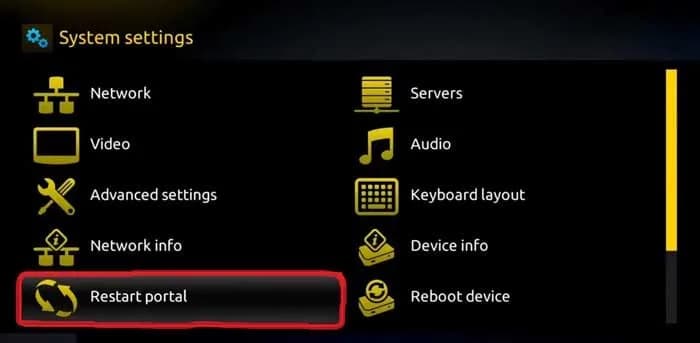
Open System settings
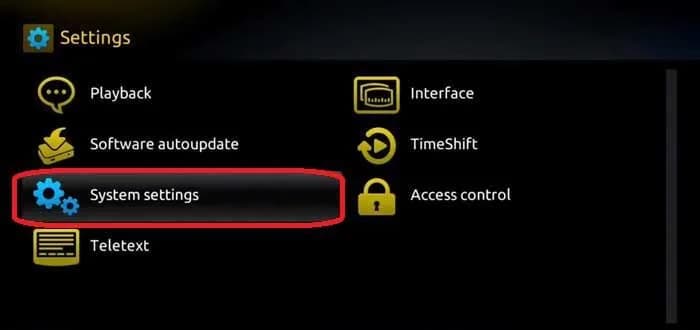
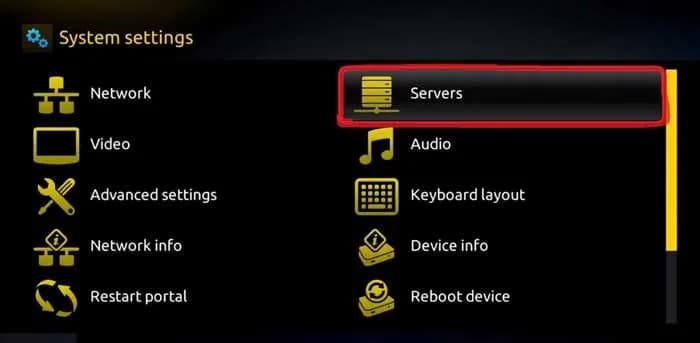
From the main MAG menu, open Settings → System settings.
Set-top box GUIDE
Add the portal address supplied with your subscription and restart the portal.
◷ Ready in about 6 minutes
From the main MAG menu, open Settings → System settings.
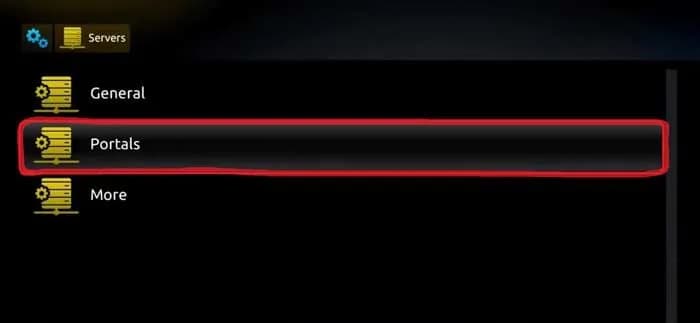
Select Servers → Portals.
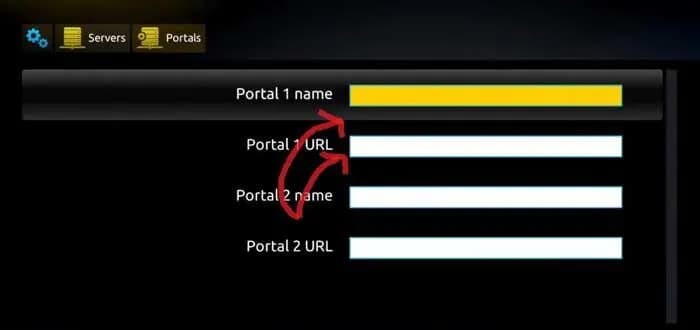
Name the portal IPTV Harmony and enter the portal URL from your order email. Check the address carefully, then save.
Return to System settings and select Restart portal. Wait while the channel list loads.
Open your player and enjoy IPTV Harmony. If channels are missing or the picture is not right, our support team will help you fix it.
These examples help you recognize the important screens. The exact layout may vary by app version.
PERSONAL SUPPORT · 7 DAYS A WEEK
Tell us which device you use and what you see on screen. Our support team will help you finish the setup.